SpoofMon Platform Tour
Get a comprehensive look at all the tools and features available in your SpoofMon dashboard
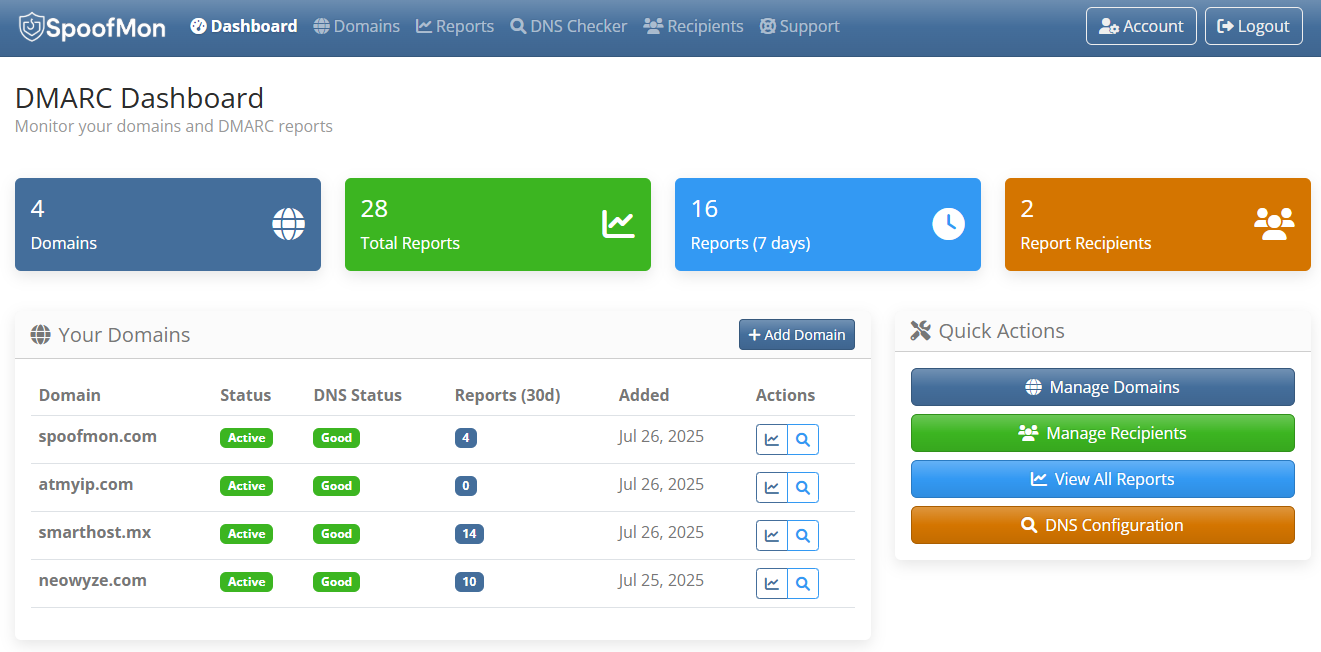
Dashboard Overview
Your central command center for DMARC monitoring
- Real-time authentication statistics
- Recent DMARC report summaries
- Quick access to all platform features
- Quick overview of Domain statuses
- Quick view of DNS configuration status
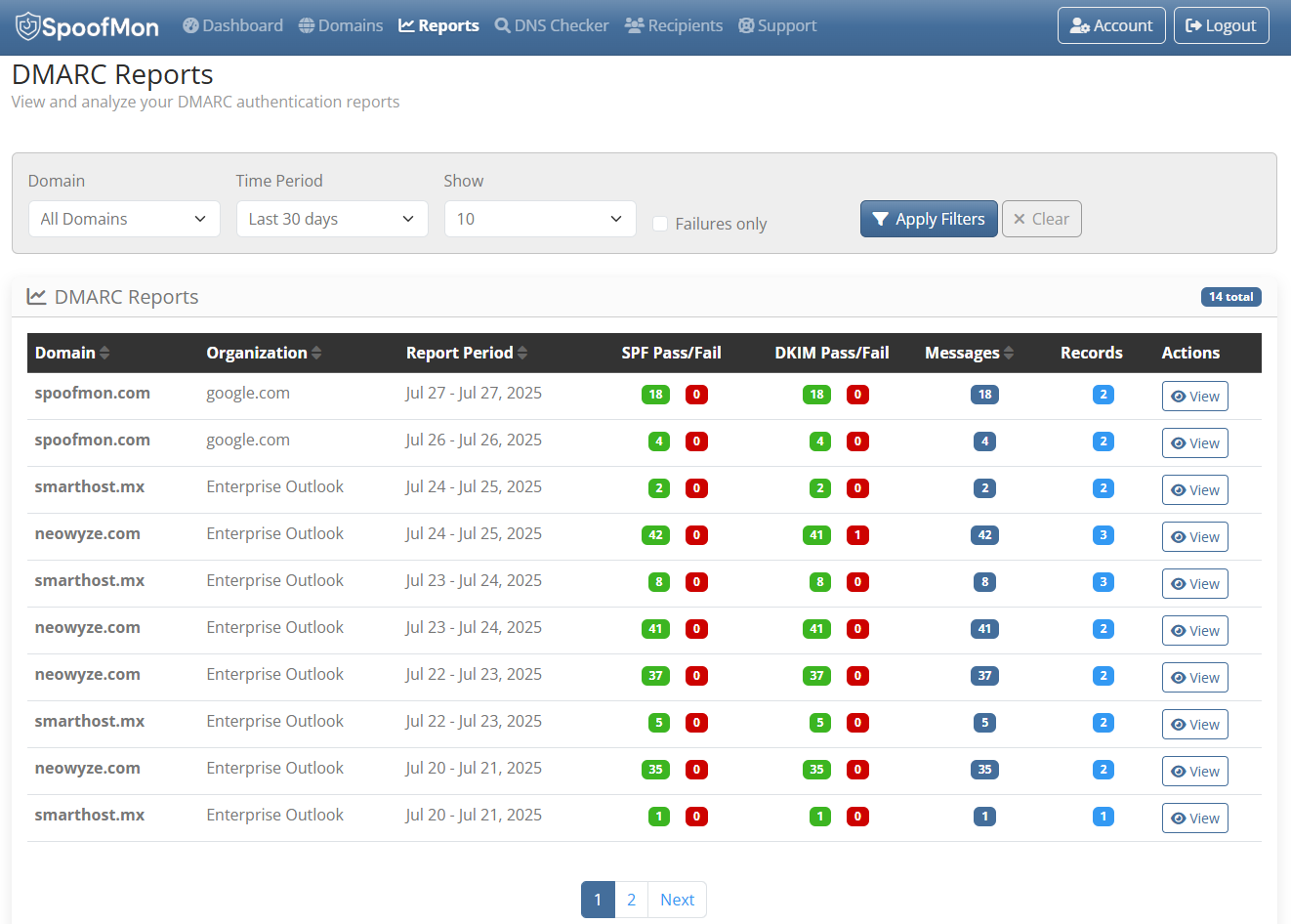
DMARC Reports
Comprehensive analysis of your email authentication data
- Detailed authentication results breakdown
- GeoIP location tracking of email sources
- Historical data trends and patterns
- Export capabilities for compliance
- Customizable date ranges and filters
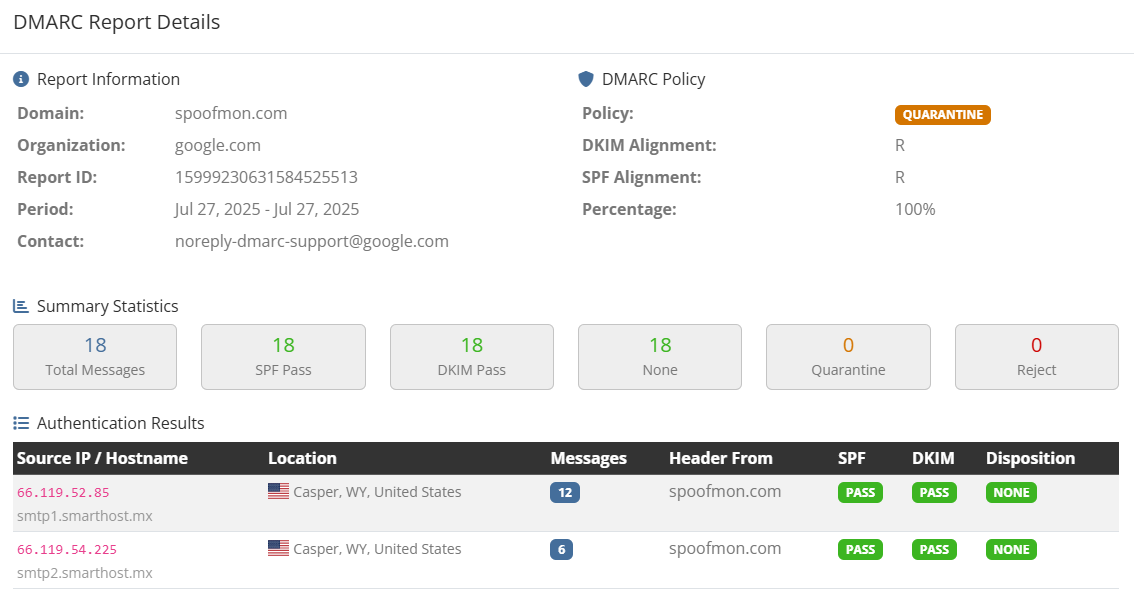
DMARC Report Detail
Deep dive into individual mail server analysis
- Per-IP address authentication breakdown
- GeoIP location mapping with country details
- SPF, DKIM, and DMARC disposition statistics
- Message volume analysis per sending source
- Identify legitimate vs suspicious email sources
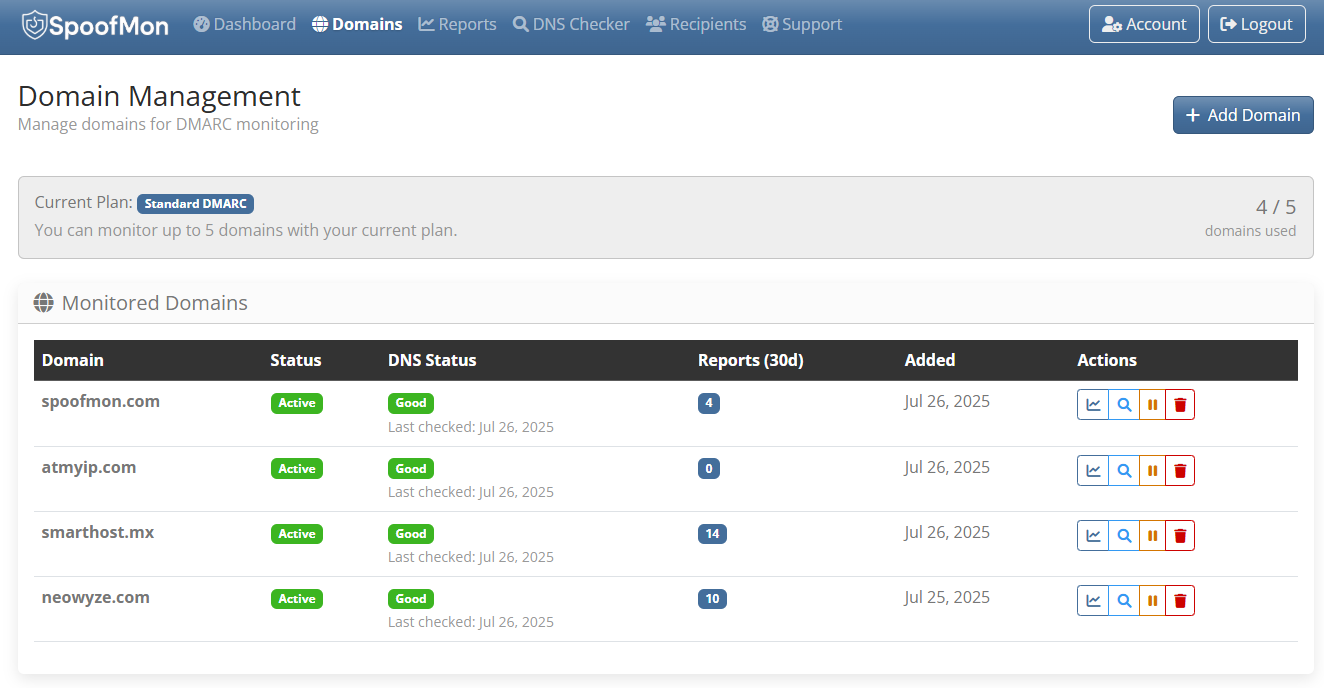
Domain Management
Centralized control over all your monitored domains
- Add and configure multiple domains
- Monitor domain-specific authentication status
- Set up automated reporting schedules
- Domain verification and validation
- Quick access to domain-specific reports
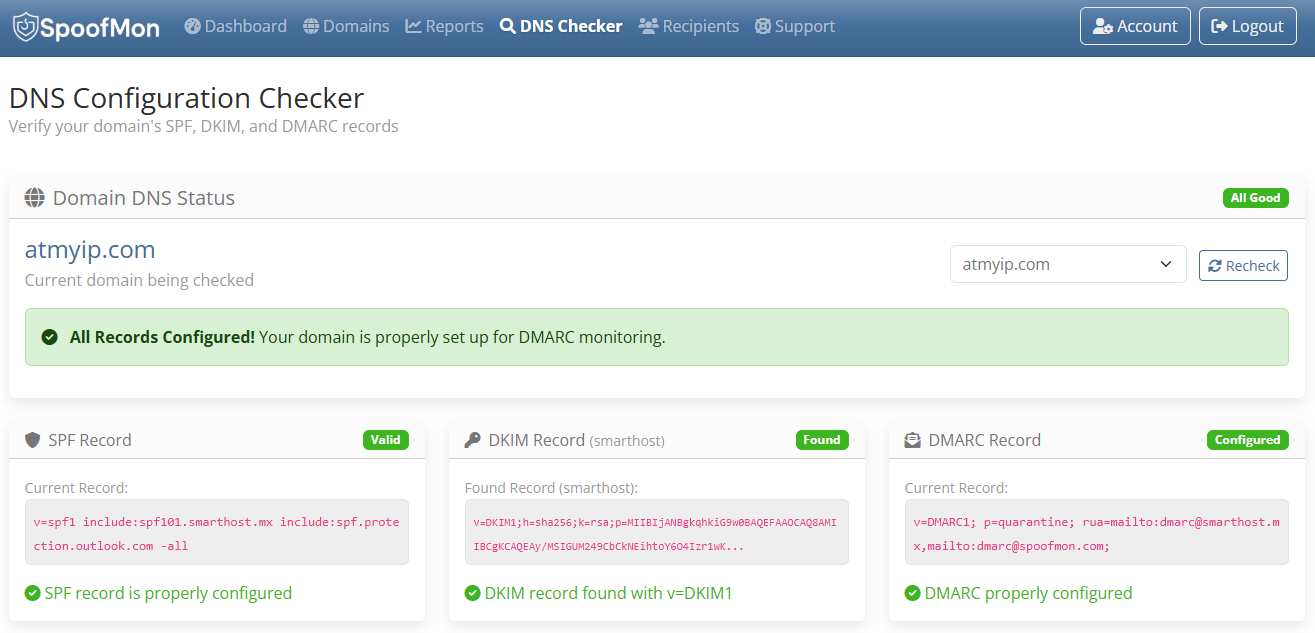
DNS Configuration Checker
Validate and optimize your email authentication records
- Real-time SPF record validation
- DKIM signature verification
- DMARC policy analysis and recommendations
- DNS propagation monitoring
- Expert configuration guidance
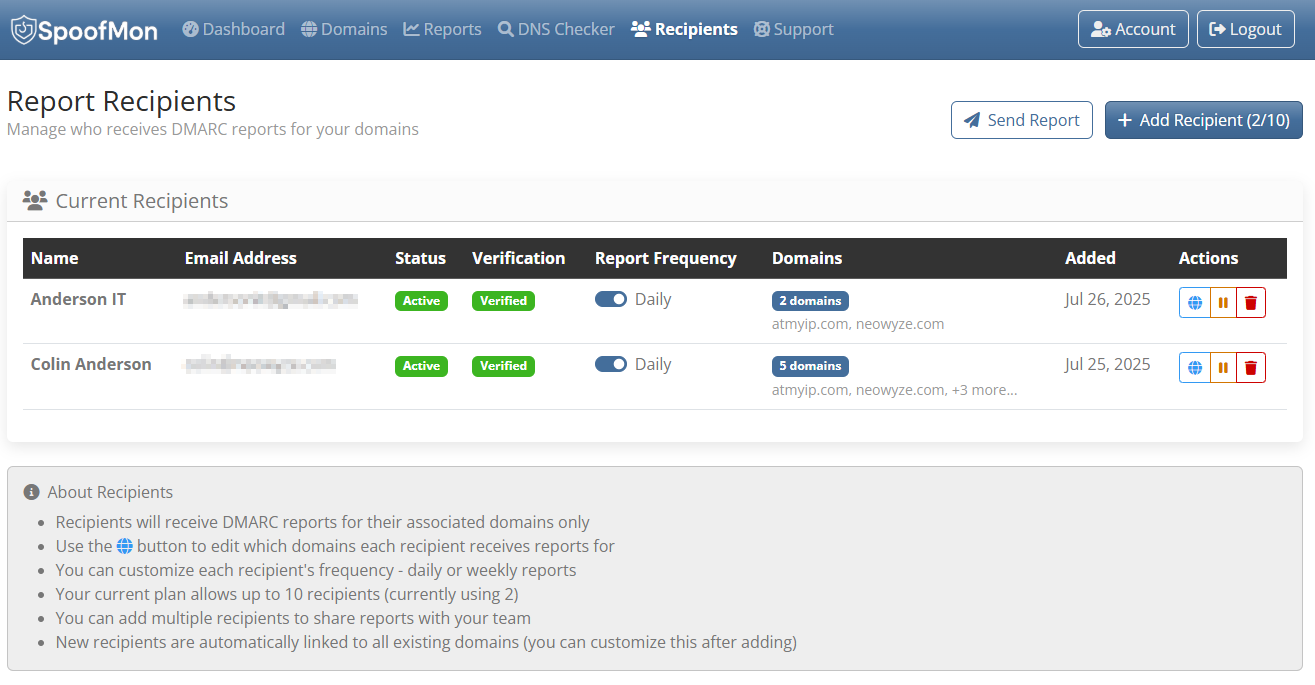
Report Recipients
Manage who receives your DMARC summary reports
- Configure multiple report recipients
- Set individual delivery preferences
- Email verification and validation
- Specify domains assigned per recipient
- Customizable report frequency settings
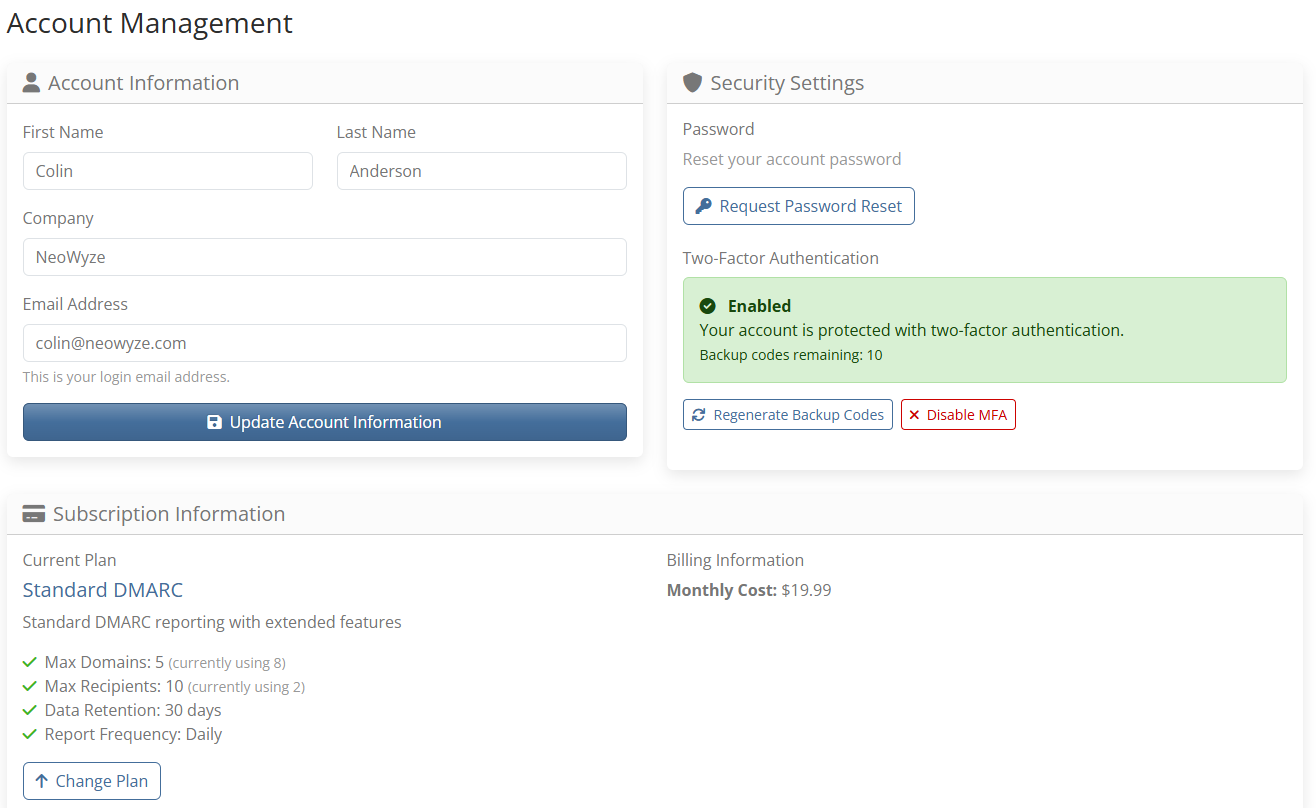
Account Management
Complete control over your account settings and security
- Billing information and payment methods
- Plan upgrades and downgrades
- Password management and security settings
- Multi-Factor Authentication (MFA) setup
- Account usage statistics and limits
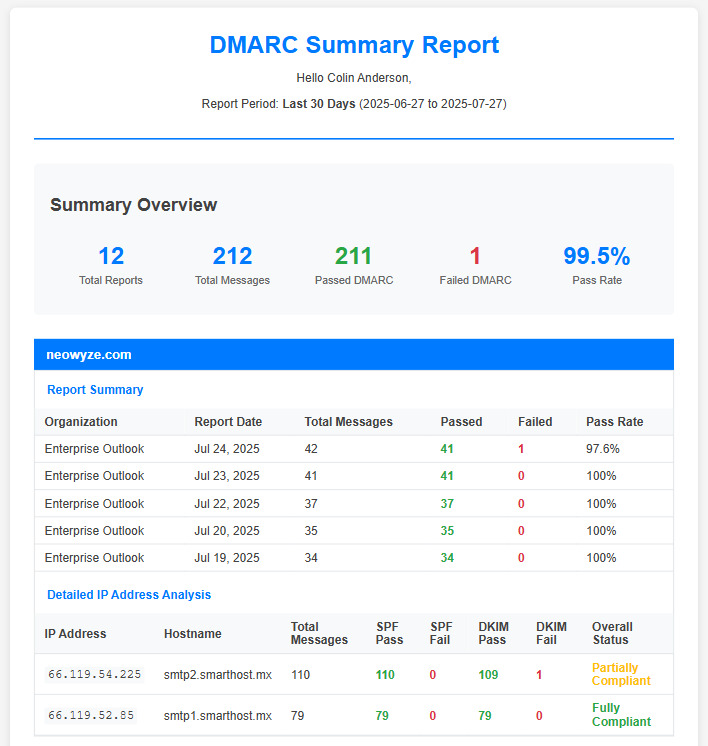
Email Summary Report
Automated email summaries delivered to your inbox
- Daily or weekly automated delivery schedule
- Overall domain authentication summary for time period
- Complete listing of all reports received
- IP address analysis with source hostnames
- Identify all sending sources for your domain